Optimizing user conversion
Mobile Banking App
Industry:
Personal finance
Role:
UX Writing
Framework:
Agile
Year:
2025
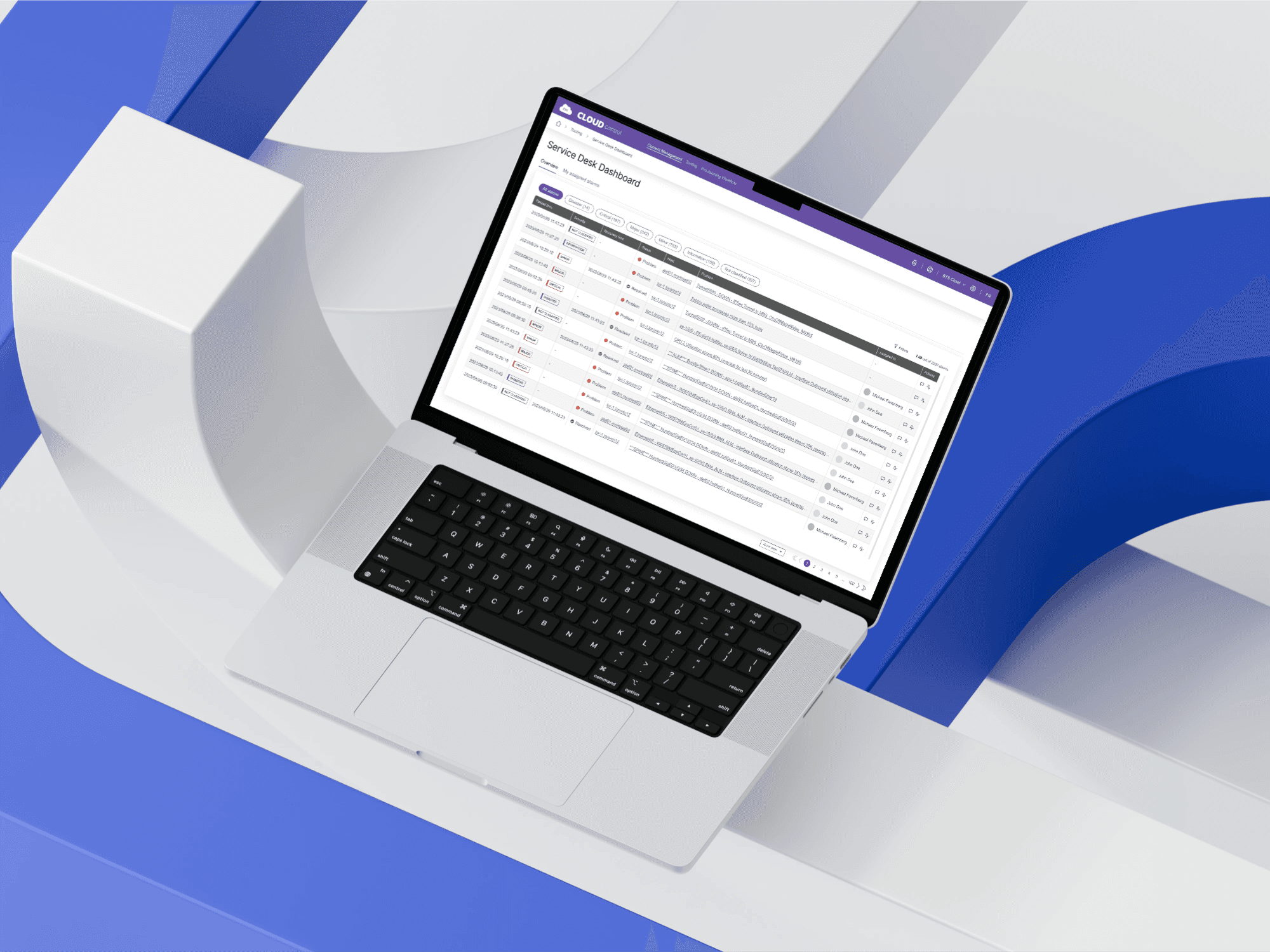
While working for design agency Blache Yong & Co, I partnered with another UX designer to create a responsive web app for a Cloud service provider looking to make their workflow more efficient.
Operations teams were getting flooded with alarms from different tools, with no shared place to see what was happening or what had already been tried. This meant people were working in silos, repeating work, and sometimes fixing one issue without realizing it affected someone else. While initially presented as a tooling problem, it was clear that from a user perspective, this was a visibility and alignment issue.
The goal of this project was to give the team a single, reliable view of alarms, related data, and fixes — so they could respond faster and with better context.
Pain points:
Alarms come from multiple systems, forcing the team to jump between tools to understand what’s happening
Team members work in silos with limited visibility into what others are investigating or fixing
Fixes and decisions aren’t consistently documented, leading to repeated work or unintended side effects
Goals:
Give the Operations team a single place to see alarms and all supporting information
Help users understand issues faster so they can troubleshoot and act with confidence
Lay the groundwork for future automation by improving clarity and data enrichment
Constraints:
The Operations team is small, busy, and often on-call, leaving limited time for user interviews
Initial scope focused on information enrichment, not full automation or action-taking
The product to be built from scratch with limited existing documentation or requirements
Understanding their workflow
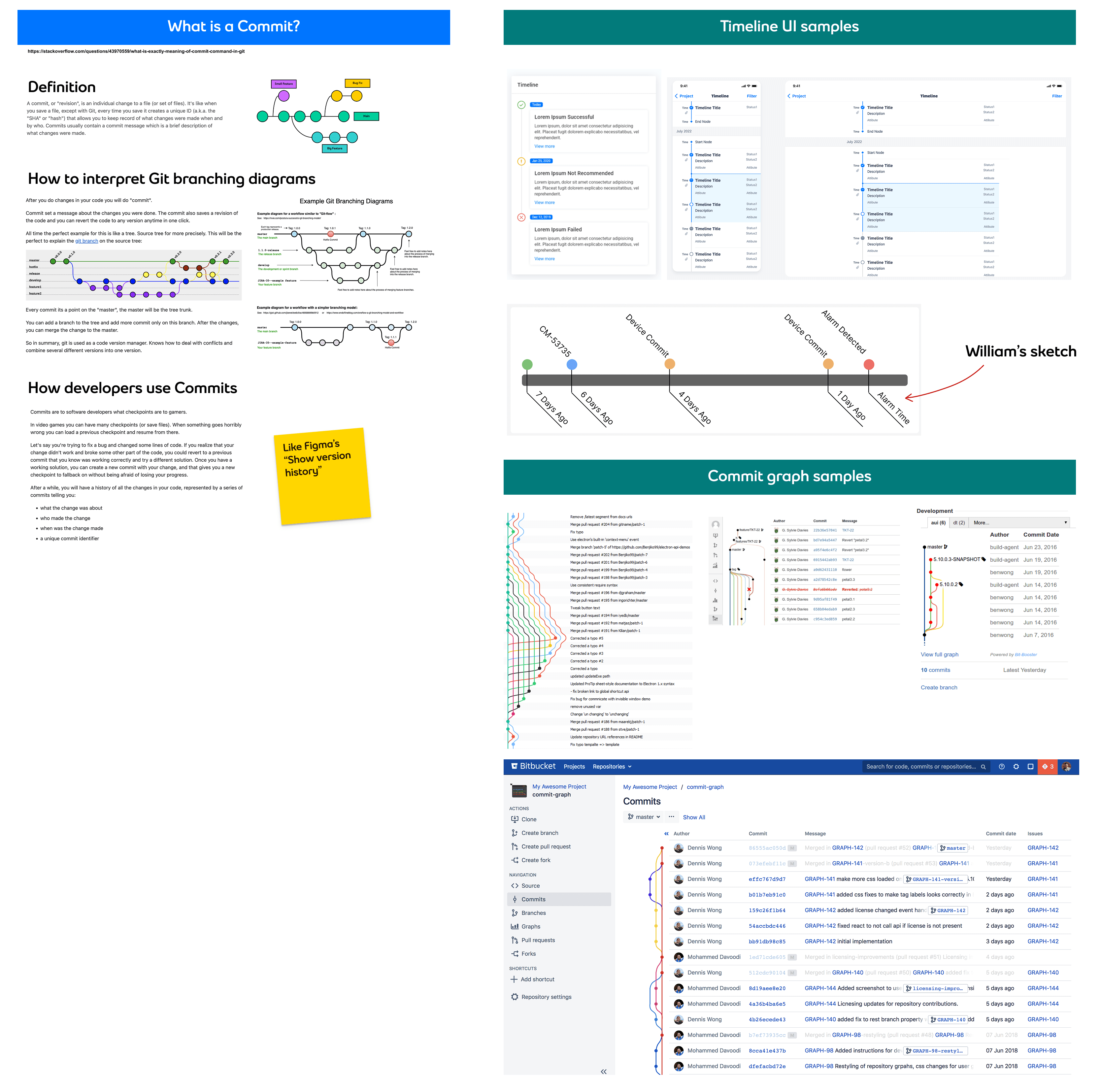
When teams juggle too many tools, they don't get the most out of them. In our case, users were selectively using just one or two features per tool and ignoring the rest. The timing of each tool in their workflow, the level of depth needed per tool, and how users coordinated between them were crucial takeaways collected in user interviews.
The impact on design: prioritize surfacing the right information at the right moment.
Maximizing our resources
Because our end users were so busy, we had little time for direct user research. Preparation and planning ahead were key to leveraging the most from our time with them. That meant triaging the most essential questions and having early designs ready to go.
We also collaborated closely with the developer who would eventually code the final design. His behind-the-scenes insights helped us test early prototypes with real data, so we could see exactly how our design functioned within the proposed information architecture.
Putting it all together (and building foundations for V2)
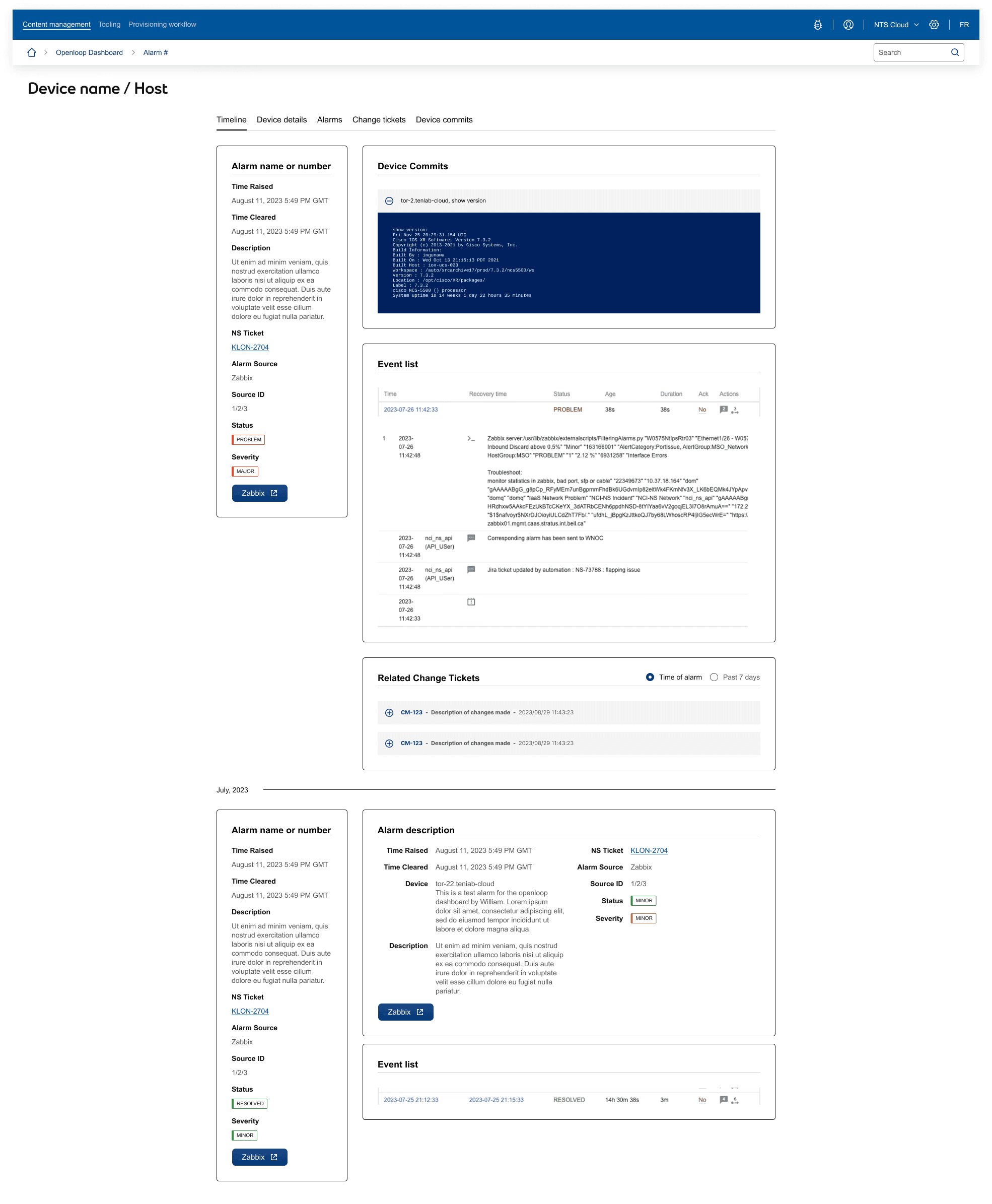
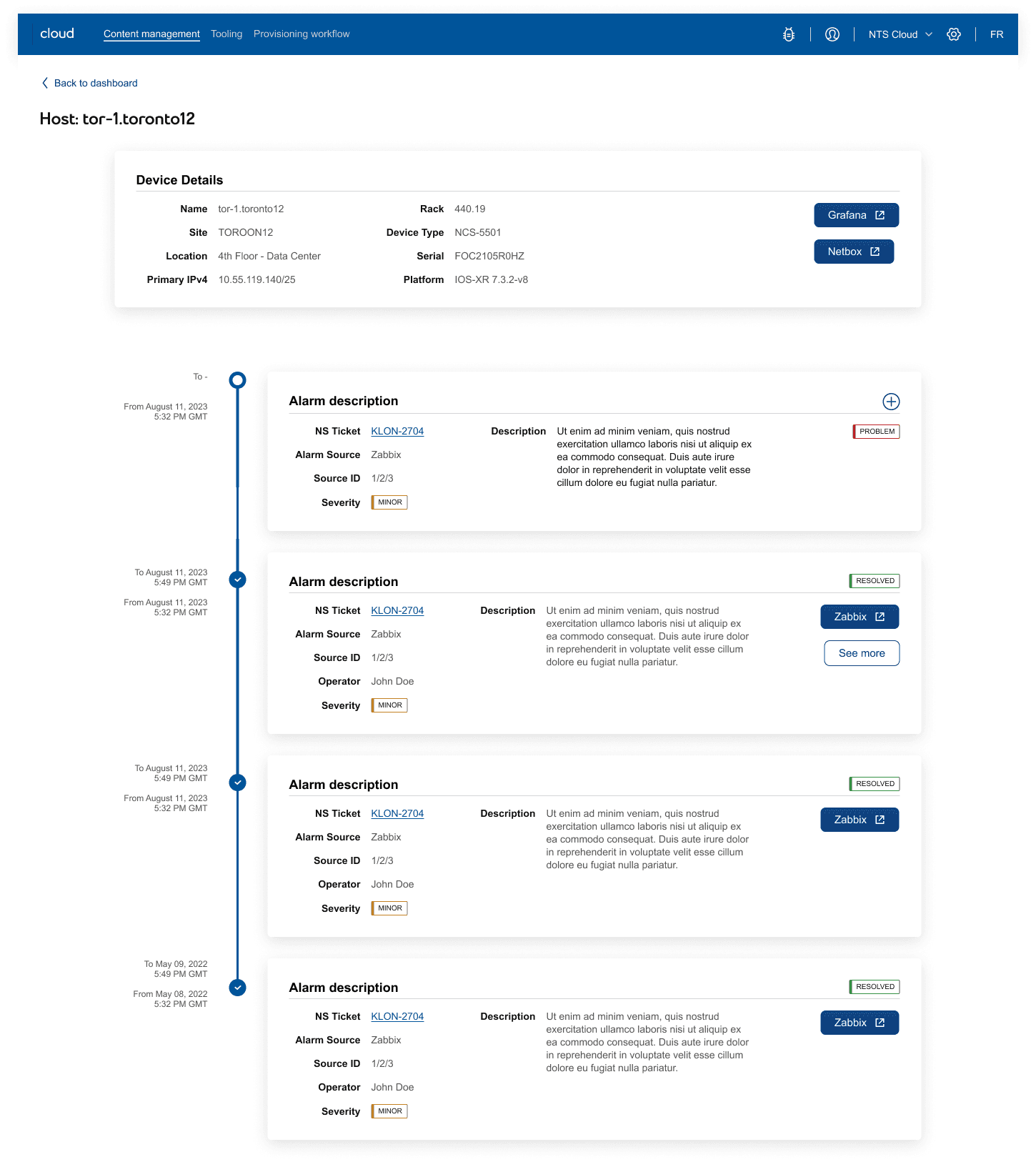
Instead of jumping between systems, the team can now see the alarm, the affected device, related tickets, and technical context side by side. Because the V1 scope of this design was limited to data enrichment, we included pathways for users to jump back into their original tools to take action, with plans to integrate actions in future enhancements.
The result is a shared source of truth that improves visibility, consistency, and coordination. It reduces guesswork today and creates a foundation for future automation and scale.